
Next.js Performance: Why Architecture Beats Plugins
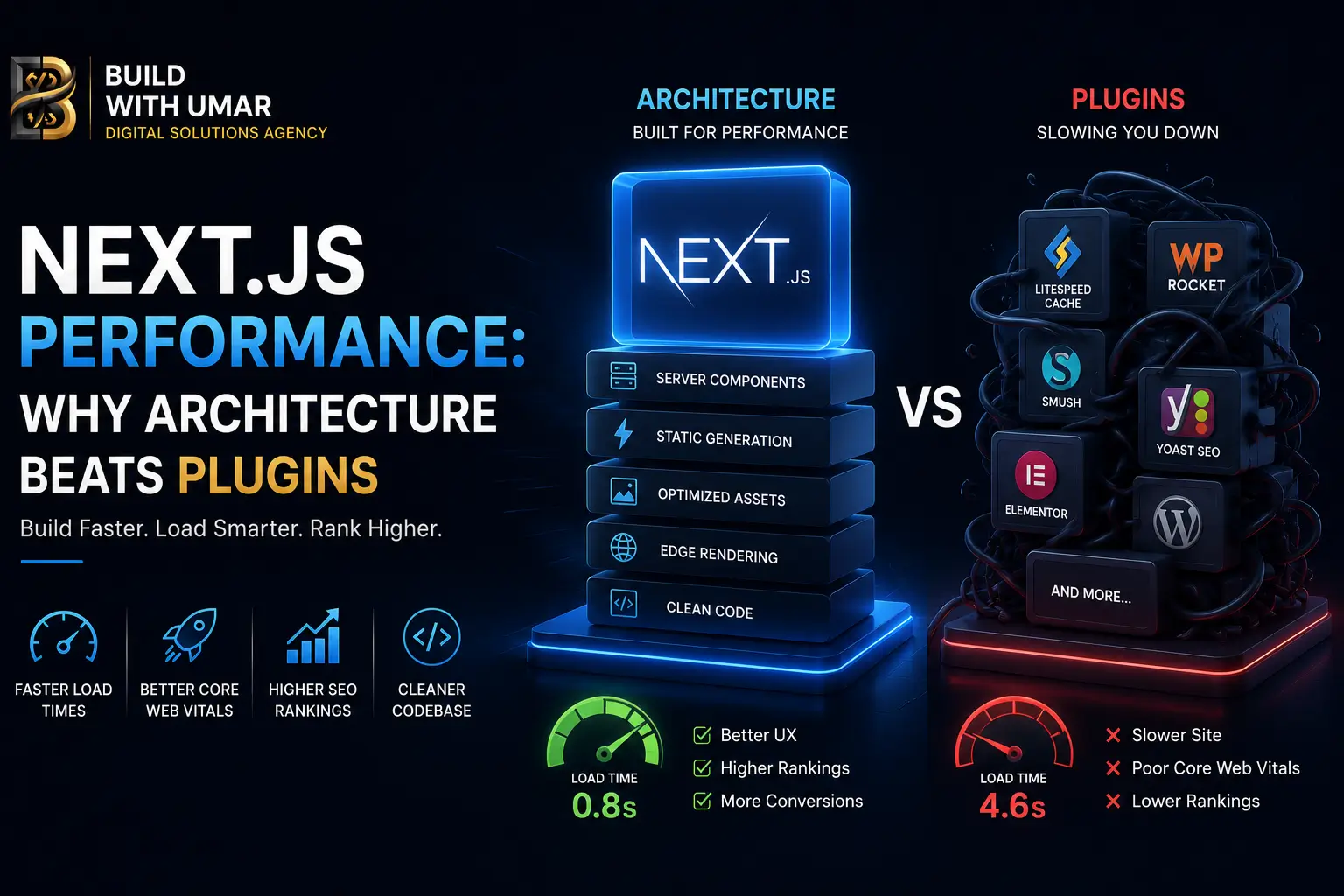
Next.js Performance: Why Your Site Slows Down Even With Plugins
There is a conversation happening in engineering and leadership meetings across digital agencies everywhere. Someone opens Google PageSpeed Insights, notices the mobile score has slipped into the orange, and immediately looks for a quick fix. Someone suggests installing a caching plugin, a script optimizer, or a third-party performance widget. The score jumps by three points. Everyone breathes a sigh of relief.
Two weeks later, the score drops again. Another plugin gets added. Then another. Before long, the application is bogged down by a heavy stack of band-aids, and the actual performance of the site is worse than when it started.
This is how technical debt quietly accumulates in modern web projects. It rarely happens out of carelessness; rather, it stems from a fundamental misunderstanding of where Next.js performance truly originates.
Performance does not come from plugins. It comes from your foundational architecturehow your application handles rendering strategies, moves data across the network, and structures its core components from day one. If your team is struggling to scale or looking for a professional structural audit, you can explore our professional web development services to build applications that are fast by default.
The Plugin Trap: Why More Tools Usually Mean Less Speed
Most performance bottlenecks in production web applications are not caused by a lack of available tools. They are the direct result of architectural shortcuts taken early in development that were never revisited as the platform scaled.
Think about what a plugin actually does. An optimization tool might compress images more aggressively, or a caching layer might temporarily store responses. But neither addresses the core question: Is your platform engineered to be fast by default, or is it only fast because external extensions are working overtime to mask structural inefficiencies? For a deeper look into how technical foundations impact search rankings and technical health, check out our comprehensive Next.js SEO checklist.
At scale, this distinction matters immensely. A plugin that introduces a minor delay on a single page request adds that same latency to every single visitor. On the other hand, a smart architectural decision that eliminates unnecessary server roundtrips removes that overhead permanently for every user, on every device, anywhere in the world.
When you master the framework’s native capabilitieslike server-side rendering boundaries, built-in data caches, and progressive streamingyou stop relying on bloated extensions to solve problems the system was already built to prevent.
The Shift Toward Server-Side Thinking
For years, modern frontend development operated under the assumption that everything needed to happen inside the user's browser. Developers built massive client-side bundles, shipping heavy JavaScript execution files to user devices just to render simple layouts and text.
The shift toward modern full-stack frameworks changed this paradigm entirely. The core realization is simple: most of the content on a typical website does not need to execute inside a user's browser.
Your pages fetch data, format text, and assemble layouts. None of those operations require a smartphone or a laptop browser to process. They are fundamentally server-side tasks. When you shift those responsibilities back to where they belong, the amount of JavaScript shipped to the client drops dramatically. Smaller files mean faster parsing times, smoother interactions, and drastically better Core Web Vitals scores. Search engines heavily favor sites that respect user bandwidth and processing power.
Data Fetching and the Cost of Waterfall Requests
The speed of a web page is inextricably linked to how it handles data dependencies. If a page has to wait for multiple data sources to load one after another in a sequential chain, the overall load time becomes the sum of all those delays combined.
Static Delivery as the Gold Standard
For content that remains consistent across visitorssuch as corporate marketing pages, informational hubs, or blog archivesstatic generation remains the ultimate performance ceiling. Delivering pre-rendered HTML straight from a global content delivery network (CDN) ensures near-instantaneous load times. No server calculation is required on the fly, keeping response times exceptionally low.
Smart Revalidation for Dynamic Content
Real-world applications rarely fit strictly into "fully static" or "constantly changing" boxes. Product catalogs, inventory sheets, and active listings require regular updates. Utilizing incremental revalidation strategies allows sites to maintain the blistering speed of static delivery while ensuring content stays fresh behind the scenes, refreshing data on a structured schedule rather than forcing every visitor to trigger a heavy database query.
Understanding the Caching Hierarchy
Modern frameworks handle caching across multiple distinct layers, from individual data requests to full route outputs and client-side router memory. When these layers operate cohesively, applications handle heavy traffic spikes effortlessly.
However, leaving cache strategies entirely up to default framework settings is a passive approach that often leads to unpredictable behavior in production. Explicitly defining how content is cached, how long it lives, and when it should be purged ensures that users always see accurate information without sacrificing speed. Modern content platforms thrive on tag-based invalidationmeaning when an editor updates a post or a product price changes in the database, only that specific piece of the cache is cleared instantly, leaving the rest of the site performing at top speed.
Progressive Streaming and Perceived Performance
Performance metrics care deeply about when a user can actually see and interact with content, not just when a server finishes generating code behind the scenes.
Without streaming mechanisms, a browser sits with a blank screen waiting for every single piece of data on a page to resolve before painting anything. By utilizing progressive streaming, the primary layout, headings, and core value propositions are sent to the browser immediately. Secondary widgets or comments load in incrementally afterward.
This completely changes the user experience. Visitors perceive the page as instantly responsive because the main content appears right away, even if heavier background data is still wrapping up. Keeping critical elements out of delayed loading states directly protects your primary visual metrics and search engine rankings.
The Mindset Shift: Architecture Over Configuration
When performance begins to degrade, the common reaction is to look for a quick external patcha new configuration tweak, a third-party monitoring widget, or an extra caching layer. This approach treats performance as an optional layer that can be slapped onto an already struggling structure. It cannot.
True speed is a natural outcome of clean structural design. Before introducing external tools to fix a sluggish site, ask yourself:
- Are your component boundaries cleanly separated, or is heavy logic unnecessarily bleeding into the client side?
- Are data requests running independently and simultaneously, or are they trapped in slow, sequential waterfalls?
- Does the user experience instant visual feedback upon arrival, or are they staring at generic loading skeletons across the entire screen?
Addressing these foundational questions eliminates the root causes of slow performance rather than just hiding the symptoms.
The Long-Term Value of Clean Engineering
Choosing architectural performance over plugin dependency pays dividends long after launch day. Every third-party plugin you introduce comes with its own update cycles, potential security vulnerabilities, and compatibility risks during framework upgrades.
An application engineered around clean, native architecture scales smoothly alongside the framework itself. Years down the line, it remains easier to maintain, cheaper to host, and significantly more resilient under heavy traffic loads. That is not just a technical winit is a major business advantage.
Continue Reading
GSAP vs Framer Motion in Next.js: Which to Use in 2026
Performance at the animation layer is a separate concern from rendering architecture but it intersects with Core Web Vitals in specific ways. This comparison covers bundle impact, INP behavior, and when each library is the correct choice.
Breaking the Hydration Ceiling: GSAP and Framer Motion Optimization
The production guide for implementing animation libraries in Next.js without introducing the CLS and INP regressions that naively integrated animation systems consistently produce.
React vs Next.js in 2026: The Architectural Case
The full comparison of React as a UI library against Next.js as a full-stack rendering framework covering Server Components, streaming, data fetching, and the infrastructure implications of each approach.
Migrating from React to Next.js App Router
If your team is moving from a Vite or CRA React SPA to Next.js 15 App Router, this guide covers the complete migration path including rendering boundary design, routing restructuring, and SEO infrastructure from day one.
Build With Umar builds Next.js applications for teams that care about architectural quality not just launch speed. If your current Next.js setup is relying on plugins to compensate for structural performance gaps, let's talk about what a properly architected solution looks like.